
Название:
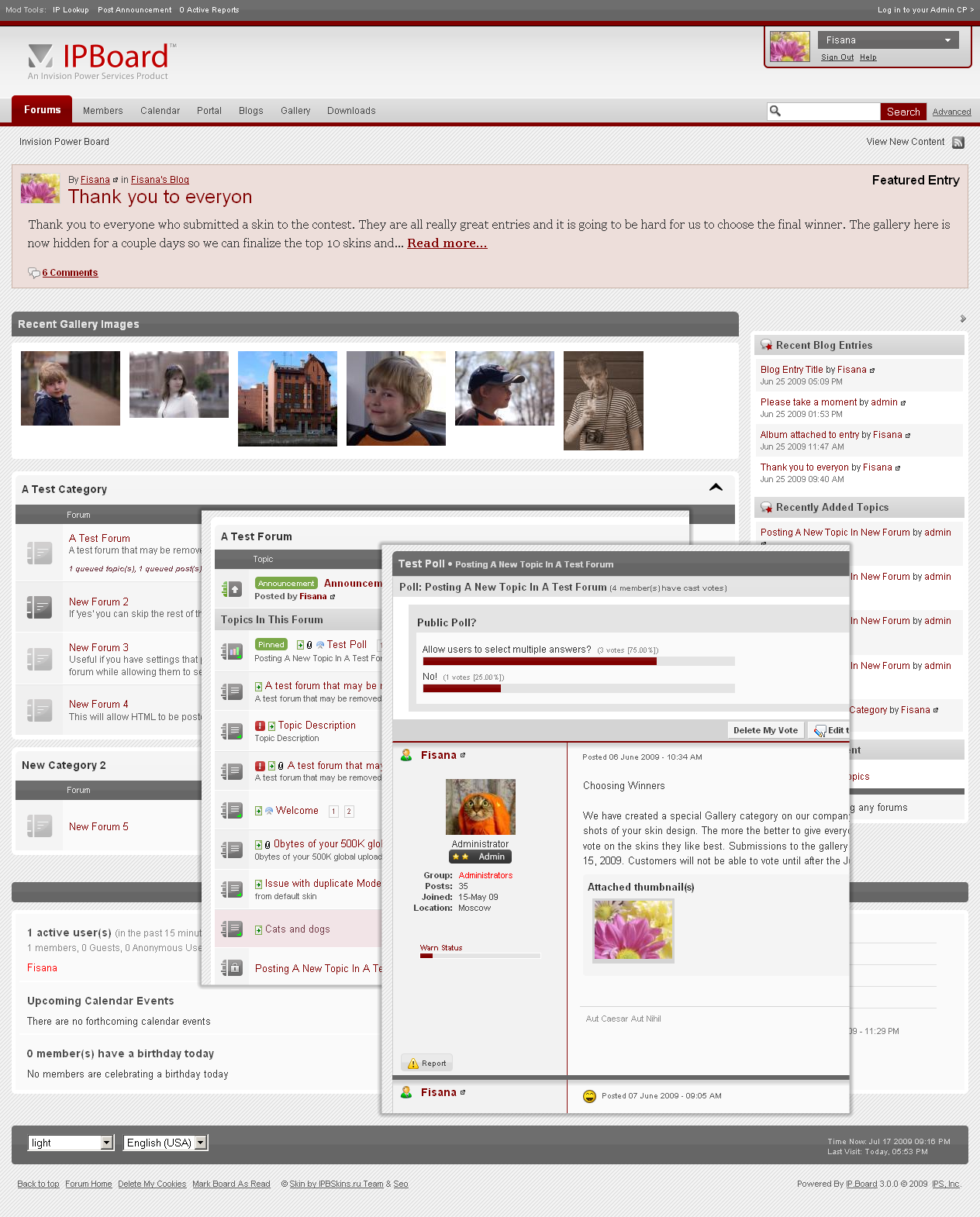
Light Skin for IPB 3.0
Версия: 1.0.9
Краткое описание: Light Skin by Fisana (ipbskins.ru) for IP.Board 3.0.5 + IP.Downloads 2.1.0 + IP.Gallery 3.1.0 + IP.Blog 2.1.0 + IP.Tracker 1.3.0
Легкий скин для IPB 3.0.
Работает с версиями до 3.0.5 включительно.
Если в более поздних версиях появятся баги, приходите за обновлениями.
Инструкция по установке скинов на IPB 3.0
=================================
Light Skin by Fisana (ipbskins.ru) for IP.Board, IP.Blog, IP.Downloads and
IP.Gallery.
Updated to IPB 3.0.4
If you want to make donation for creating free beautiful skins, use www.moneybookers.com, email: fisana[at]yandex.com
Скин разработан при поддержке Гоголева Александра.
Updated:
Added psd logo_blank
+ Small fix for IPG 2.0.1 & IPВ 2.0.1
+ Small Fix for hook recentTopics
+ Fix issue with topic buttons in the Hook M30__Guest_Message_v1.4.0
+ Fix Popular Content color
+ Updated for working with IP.Tracker 1.3
+ Updated for working with IPB 3.0.2
+ Fixed issue with IE7 in a topic view
+ Updated for working with IPB 3.0.3
+ Updated for working with IPB 3.0.4
Предупреждение
Если вы вначале установите скин, а потом инсталлируете приложения (галерею, архив или блоги), в них установится дефолтный css.
Чтобы оформление было правильным, устанавливайте скин ПОСЛЕ, а НЕ ДО установки модулей.
Изменения в версии 01.07.2010 18:31
Выпущена
Список изменений в этой версии не указан.
Рекомендованные комментарии