
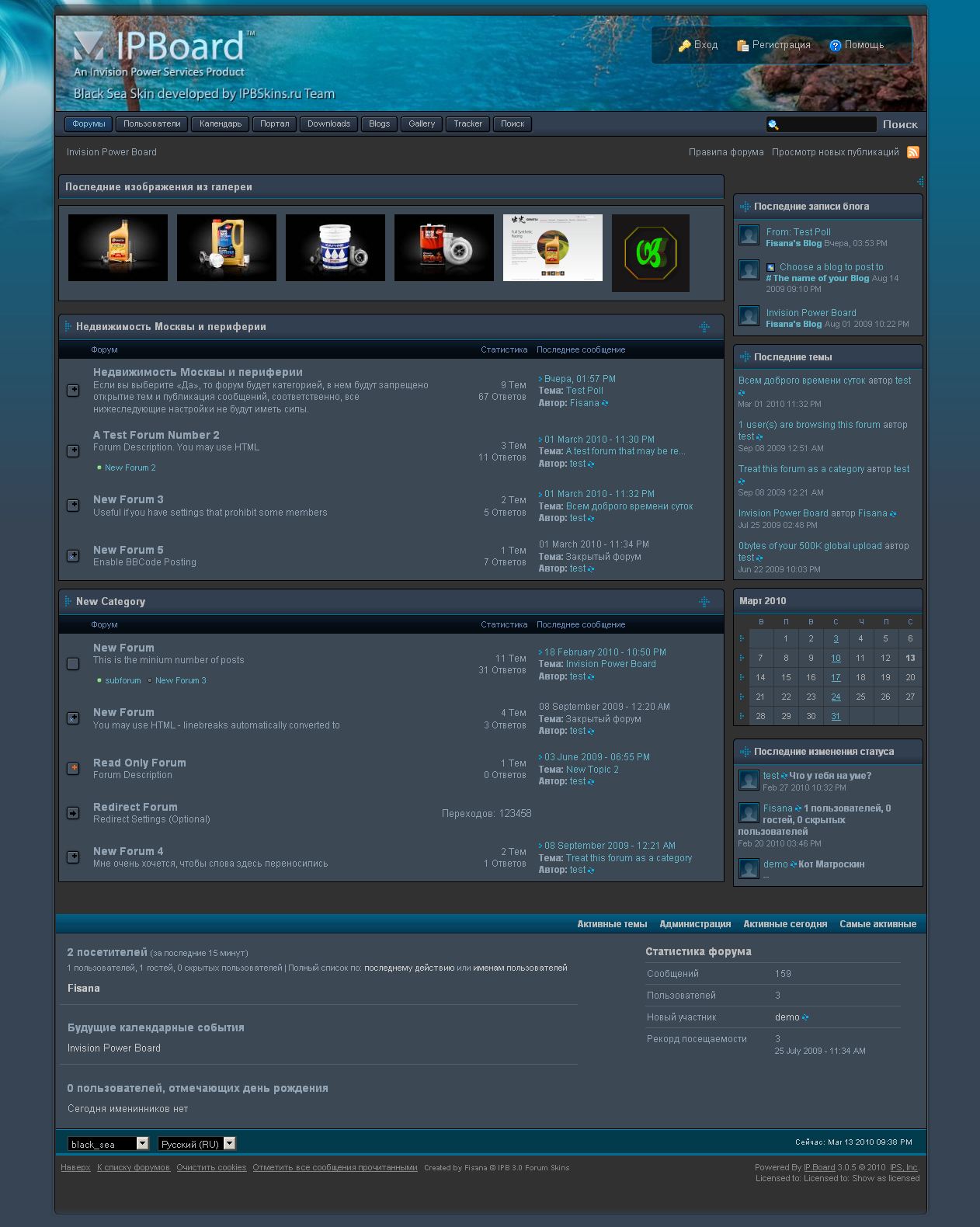
Название: Black Sea 3.0.5
Версия: 1.0.1
Краткое описание: Black Sea Skin by Fisana (ipbskins.ru) for IP.Board 3.0.5, IP.Blog 2.1, IP.Downloads 2.1, IP.Gallery 3.1 and IP.Tracker 1.3.1a.
Included: Logo blanks & Team icons
If you want add the new content in the board footer:
1. Look & Feel > Manage Skin Sets & Templates > Manage Templates in black_sea
2. Open Global Templates > globalTemplate
3. Find near the end
<!--
Replace with
Если вы хотите добавить счетчики, ссылки или рекламу в футер:
1. Редактирование шаблонов > Глобальные > globalTemplate
2. Найти в конце
<!--
Заменить на
Edit the Logo.
logo.jpg, logo2.jpg or logo3.jpg use for the fluid header.
Edit and replace logo.jpg in the image folder.
Or use Easy Logo Changer
(You can create another picture about the same size)
logo.png use for the common header (as in the default skin)
1. Edit the logo.png.
2. Go to the Look & Feel > Manage Skin Sets & Templates > Manage Templates in black_sea > Global Templates > defaultHeader. Revert the defaultHeader
3. Go to the Look & Feel > Template Tools > Easy Logo Changer
Replace the old logo.
Редактирование логотипа.
Файлы logo.jpg, logo2.jpg or logo3.jpg используйте для резиновой шапки.
Отредактируйте одну из картинок или создайте свою близкого размера.
Замените этой картинкой logo.png в папке изображений скина или используйте простую смену логотипа.
Предусмотрена возможность сделать легкий логотип как в дефолтном скине.
1. Отредактируйте logo.png
2. Внешний Вид > Управление шаблонами и css > Глобальные > defaultHeader
Отмените изменения.
3. С помощью легкой замены логотипа укажите путь к новому лого.
Инструкция по установке – http://ipb-ru.net/ipb-3-skin-faq.html
Изменения в версии 01.07.2010 18:41
Выпущена
Список изменений в этой версии не указан.
Рекомендованные комментарии