Skip to content
View in the app

A better way to browse. Learn more.

Дизайн и модификация Invision Community

A full-screen app on your home screen with push notifications, badges and more.

To install this app on iOS and iPadOS
  1. Tap the Share icon in Safari
  2. Scroll the menu and tap Add to Home Screen.
  3. Tap Add in the top-right corner.
To install this app on Android
  1. Tap the 3-dot menu (⋮) in the top-right corner of the browser.
  2. Tap Add to Home screen or Install app.
  3. Confirm by tapping Install.

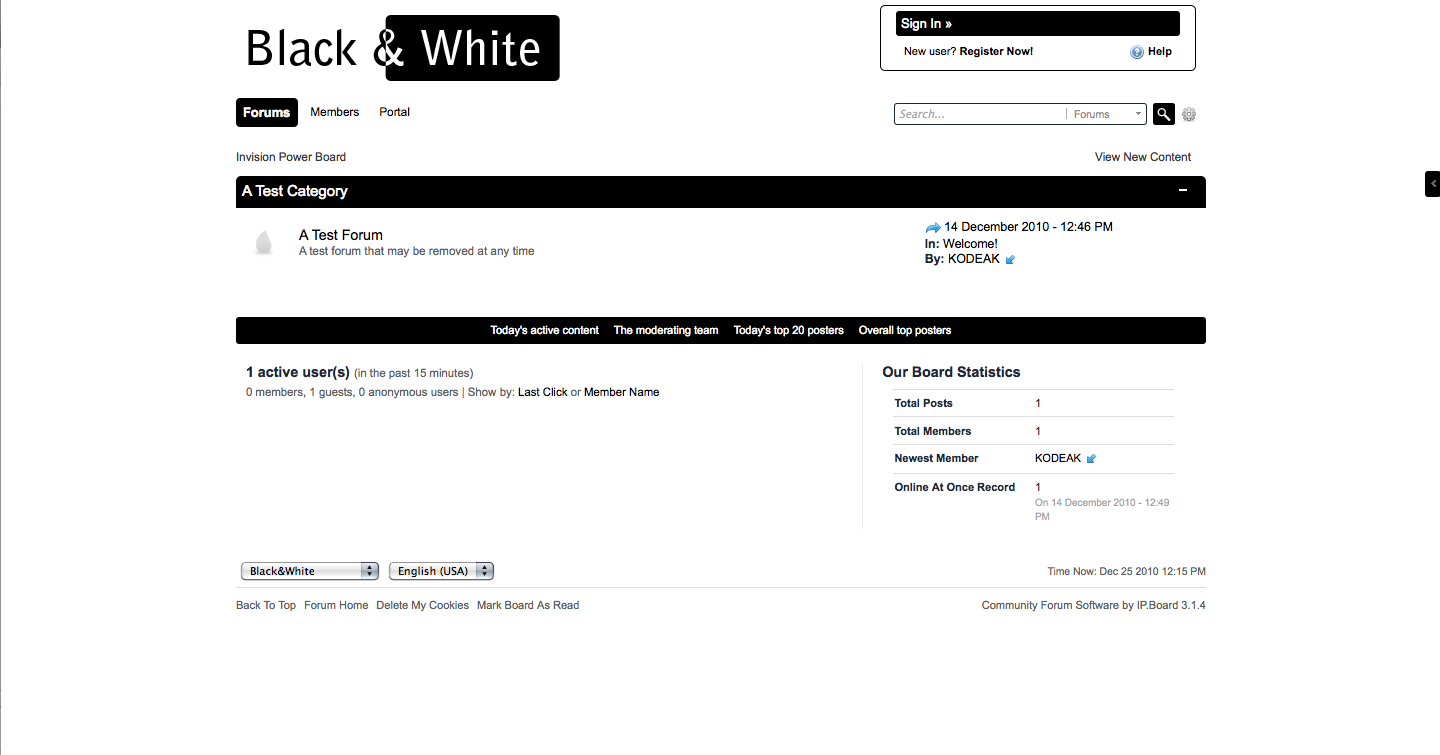
black and white

1 Screenshot

Тема выполнена в строгих тонах, основные цвета черный и белый. Все вопросы или ошибки пишите пожалуйста на официальном форуме разработчика.

User Feedback

Recommended Comments

fraiche34

Пользователи

Перезалейте пожалуйста!

Судя по тому, что Вы в теме написали, скин все-таки распаковался. Отметку о повреждении снимаю.

KODEAK

IPB Specialist

=)

Account

Navigation

Search

Search

Configure browser push notifications

Chrome (Android)
  1. Tap the lock icon next to the address bar.
  2. Tap Permissions → Notifications.
  3. Adjust your preference.
Chrome (Desktop)
  1. Click the padlock icon in the address bar.
  2. Select Site settings.
  3. Find Notifications and adjust your preference.