Jump to content
View in the app

A better way to browse. Learn more.

Дизайн и модификация Invision Community

A full-screen app on your home screen with push notifications, badges and more.

To install this app on iOS and iPadOS
  1. Tap the Share icon in Safari
  2. Scroll the menu and tap Add to Home Screen.
  3. Tap Add in the top-right corner.
To install this app on Android
  1. Tap the 3-dot menu (⋮) in the top-right corner of the browser.
  2. Tap Add to Home screen or Install app.
  3. Confirm by tapping Install.

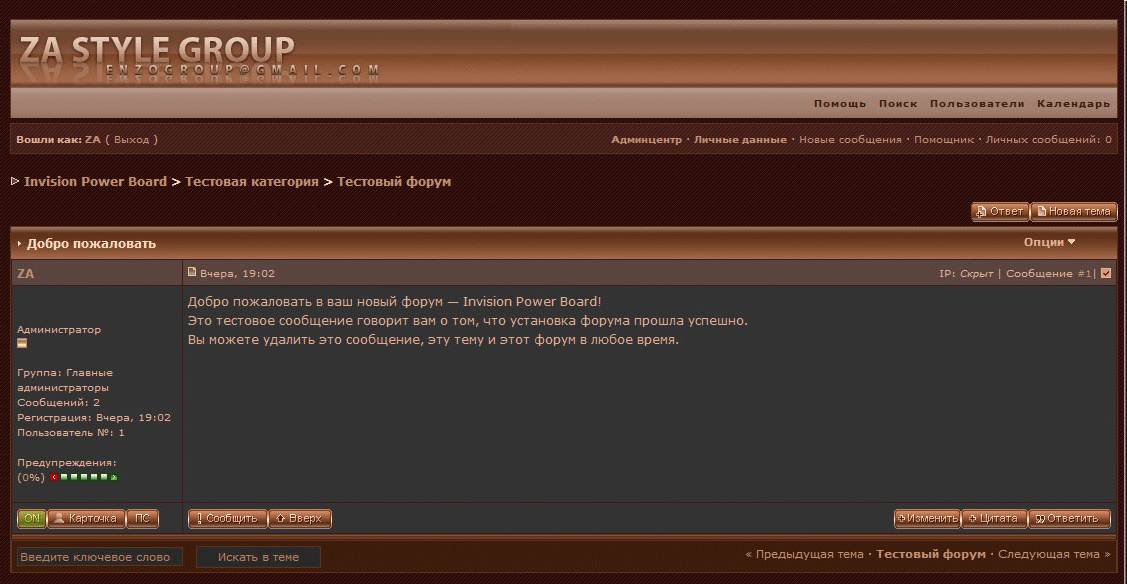
ZA Style 2007

1 Screenshot

Название:

ZA Style 2007


Версия:

2.2.1


Краткое описание:

Полностью русский скин для версий IPB 2.2.x


Подробное описание:

Скин выполнен в темно-золотистых тонах. Также перерисованы кнопки для галереи.


------------------------

Содержание архива

------------------------

ipb_skin-zagroup.xml - скин

ipb_images-zagroup.xml - графика скина

ipb_emoticons.xml - смайлы для скина, выполненные для темных тонов

What's New in Version 06/30/2010 10:13 PM

Released

No changelog available for this version.

User Feedback

Recommended Comments

There are no comments to display.

Account

Navigation

Search

Configure browser push notifications

Chrome (Android)
  1. Tap the lock icon next to the address bar.
  2. Tap Permissions → Notifications.
  3. Adjust your preference.
Chrome (Desktop)
  1. Click the padlock icon in the address bar.
  2. Select Site settings.
  3. Find Notifications and adjust your preference.