Перейти к публикации
View in the app

A better way to browse. Learn more.

Дизайн и модификация Invision Community

A full-screen app on your home screen with push notifications, badges and more.

To install this app on iOS and iPadOS
  1. Tap the Share icon in Safari
  2. Scroll the menu and tap Add to Home Screen.
  3. Tap Add in the top-right corner.
To install this app on Android
  1. Tap the 3-dot menu (⋮) in the top-right corner of the browser.
  2. Tap Add to Home screen or Install app.
  3. Confirm by tapping Install.

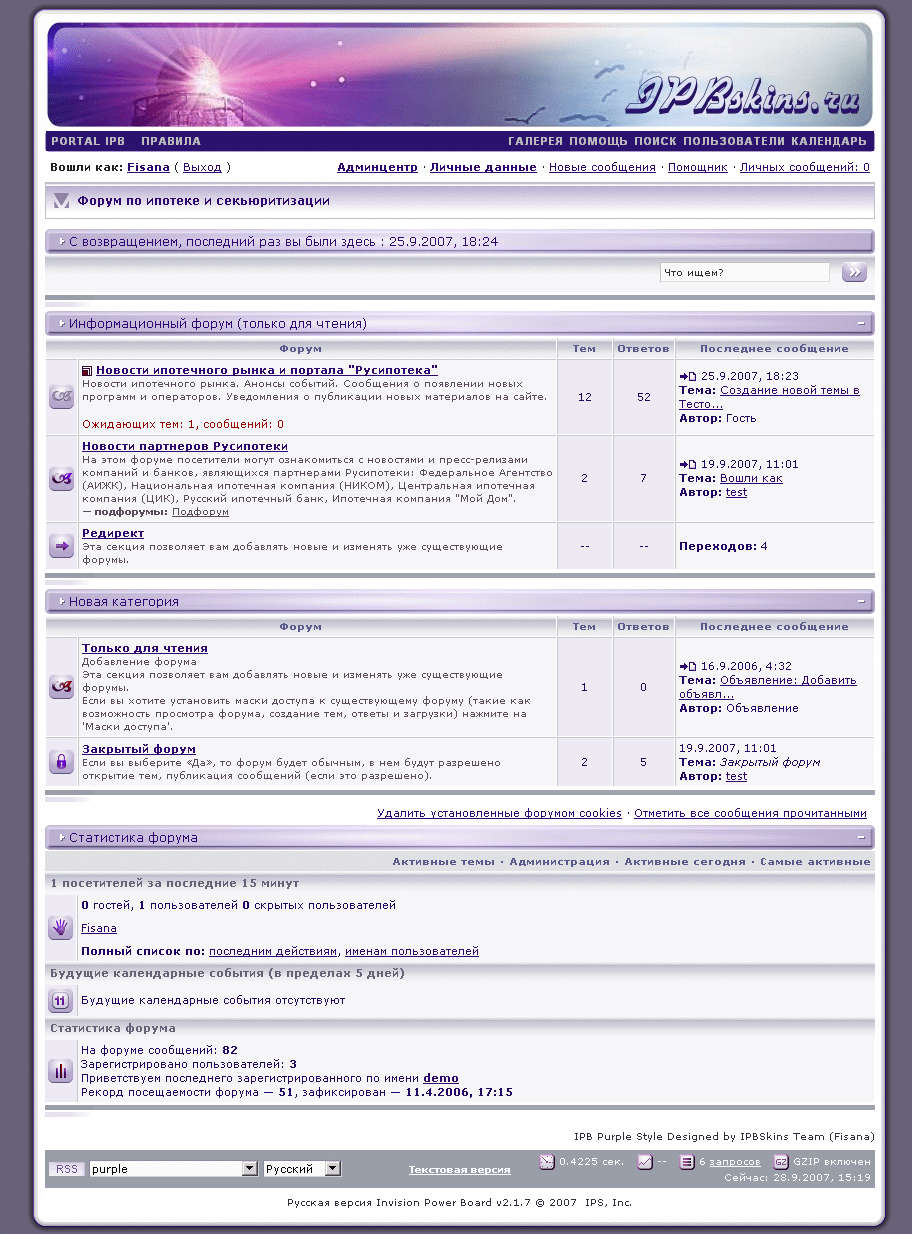
IPB Purple Style 2.1.x (Russian)

1 скриншот

Сиреневый узкий фиксированный стиль с графикой и шаблонами для IP.Gallery, IP.Blogs, Links System и Downloads Script v1.0.4

Древний стиль этого форума. Идеально подойдет для небольших конференций.

Ширина стиля привязана к ширине большинства декоративных графических элементов в скине. Не пытайтесь ее увеличить, это только испортит дизайн.


Условие бесплатного использования – сохранение авторских копирайтов.


С уважением,

Fisana

Configure browser push notifications

Chrome (Android)
  1. Tap the lock icon next to the address bar.
  2. Tap Permissions → Notifications.
  3. Adjust your preference.
Chrome (Desktop)
  1. Click the padlock icon in the address bar.
  2. Select Site settings.
  3. Find Notifications and adjust your preference.