Jump to content
View in the app

A better way to browse. Learn more.

Дизайн и модификация Invision Community

A full-screen app on your home screen with push notifications, badges and more.

To install this app on iOS and iPadOS
  1. Tap the Share icon in Safari
  2. Scroll the menu and tap Add to Home Screen.
  3. Tap Add in the top-right corner.
To install this app on Android
  1. Tap the 3-dot menu (⋮) in the top-right corner of the browser.
  2. Tap Add to Home screen or Install app.
  3. Confirm by tapping Install.

Как сделать такой вид форума - версия ipb: 3.1.4

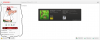
Как сделать такой вид форума?post-49164-0-46585100-1328967247_thumb.png

Featured Replies

Вопрос не ясен.

Я не понимаю, как вид .author_info можно распространить на "вид форума". Или объясните, что имеется ввиду под видом форума?


На скриншоте, похоже, скин от http://ipbforumskins.com/ Возможно, стоит просто купить один?

  • Author

Я просто не знал как этот скрипт называеться и написал так! У вас нету такого author_info вида как на скрине выше?

У меня точно такого же нету. Я свои придумываю.

Есть у автора скина. Обратитесь на сайт по ссылке, там можно купить скин с этим оформлением.

Create an account or sign in to comment

Recently Browsing 0

  • No registered users viewing this page.

Account

Navigation

Search

Configure browser push notifications

Chrome (Android)
  1. Tap the lock icon next to the address bar.
  2. Tap Permissions → Notifications.
  3. Adjust your preference.
Chrome (Desktop)
  1. Click the padlock icon in the address bar.
  2. Select Site settings.
  3. Find Notifications and adjust your preference.