Jump to content
View in the app

A better way to browse. Learn more.

Дизайн и модификация Invision Community

A full-screen app on your home screen with push notifications, badges and more.

To install this app on iOS and iPadOS
  1. Tap the Share icon in Safari
  2. Scroll the menu and tap Add to Home Screen.
  3. Tap Add in the top-right corner.
To install this app on Android
  1. Tap the 3-dot menu (⋮) in the top-right corner of the browser.
  2. Tap Add to Home screen or Install app.
  3. Confirm by tapping Install.

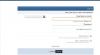
Все скины стали слево направо. IPB 3.3.2

Вообщем-то сабж, при чем такое наблюдается только у гостей, при авторизации скин становится нормальным. Скин в аттаче.post-40431-0-27483700-1336977578_thumb.jpg
Edited by dcum

Featured Replies

  • Author

siv1987, благодарю. Честное слово поиском пользовался)

Create an account or sign in to comment

Recently Browsing 0

  • No registered users viewing this page.

Configure browser push notifications

Chrome (Android)
  1. Tap the lock icon next to the address bar.
  2. Tap Permissions → Notifications.
  3. Adjust your preference.
Chrome (Desktop)
  1. Click the padlock icon in the address bar.
  2. Select Site settings.
  3. Find Notifications and adjust your preference.